


Looking to open Outlook links in your default browser? Here’s what to do
In Outlook: File > Options > Advanced.
From here, find the option that says “Open hyperlinks from Outlook in”, and select default browser.
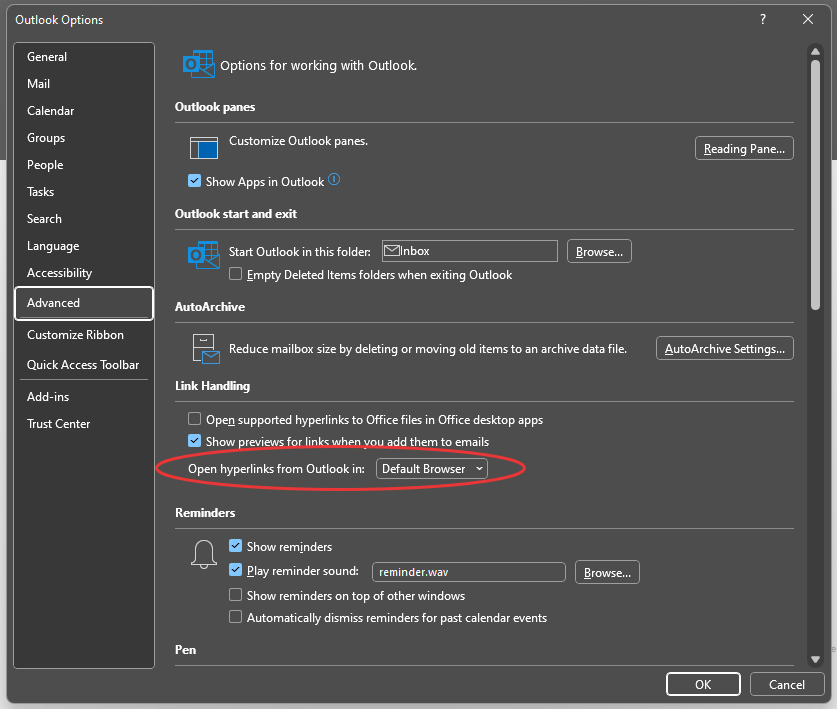
Any links you now open in Outlook should open in your default browser.
Why do Outlook Links open in Edge?
Microsoft state they’re always looking to “improve and streamline product experiences”. This is one reason why your Outlook links will open in Edge.
Both Outlook and Edge are Microsoft products, so by using one, you are reccomended to use the other. This is why any link you open in Outlook, will load in Edge.