
Black Friday is 27 November 2026. In practice, the deals start weeks before that, and so do the online shopping scams. Phishing emails (fake messages designed to steal passwords or card details), fake delivery texts and bogus shopping sites all pick up through November and into the January sales.
Most advice on this focuses on protecting yourself as a shopper. But Black Friday scams are a business problem too. Your staff shop on the same laptops and phones they use for work. A scam email that lands in a personal inbox in the evening can just as easily land in a work inbox during the day. Here’s what that means for a small or medium business, and what you can do about it before the big shopping weekend arrives.
Why Black Friday scams are a business problem
When a member of staff clicks a bad link or hands over card details to a fake shop, the immediate loss is usually personal. But the knock-on risks often land on the business.
A work email account can be compromised through a convincing “your parcel couldn’t be delivered” link. A work phone can end up with malware from a fake shopping app. And scammers know that finance and admin teams are busier than usual at this time of year, juggling end-of-year invoices and supplier orders alongside the usual workload. That makes it a good time to slip a fake invoice past someone who’s moving quickly. We’ve written before about how invoice fraud catches finance teams out.
None of this needs a sophisticated attacker. Most of these scams succeed simply because someone is tired, rushed, or expecting a parcel.
The scams to watch for this year
Retailer impersonation emails
Phishing emails that look like they’re from well-known retailers, often with a “huge discount inside” subject line. They usually link to a copy of the real site designed to capture card details and passwords.
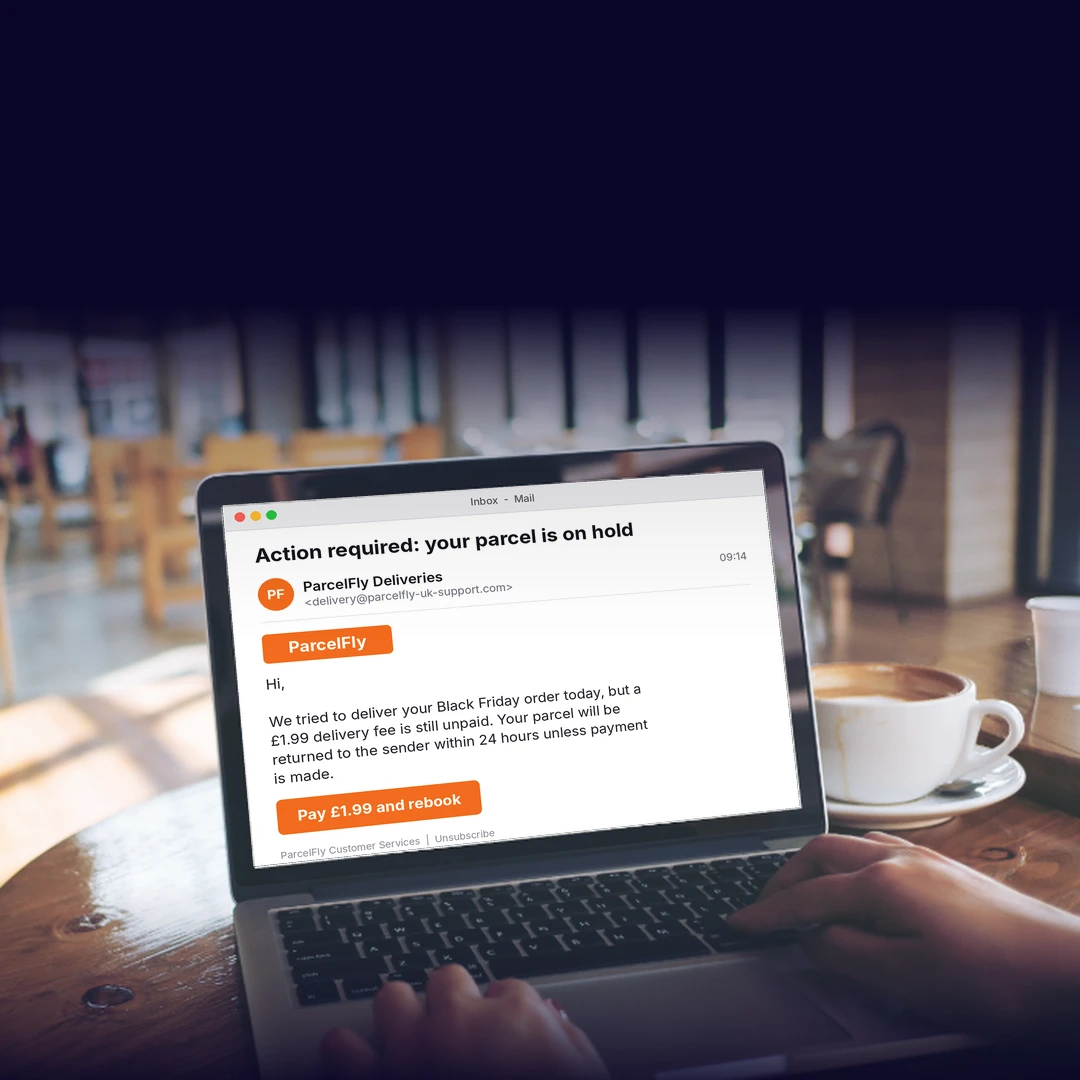
Fake delivery texts
Texts claiming a parcel couldn’t be delivered, or that a small customs or redelivery fee is due. These spike hugely around Black Friday and the weeks after, simply because so many more parcels are genuinely on the move.
Fake social media ads and shops
Adverts on social media promoting heavily discounted goods from shops that don’t really exist, or that take payment and never deliver. These are often well made and hard to tell apart from genuine retailer ads.
Invoice and supplier fraud
Emails that look like they’re from a known supplier, asking for payment of an invoice or a change to bank details. These rely on the end-of-year rush, when a request like this is more likely to be paid without question.
Warning signs: a quick checklist
Share this with your team. None of these on its own proves a scam, but more than one is a strong signal to stop and check.
- The deal or discount seems too good to be true
- The email or text creates urgency (“act now”, “expires today”)
- A link doesn’t match the retailer or supplier’s usual website address
- A delivery company asks for payment by card or bank transfer
- A supplier email asks for a change of bank details, especially near a payment date
- The sender’s email address looks almost right, but not quite
- You weren’t expecting the email, text or parcel at all
Five practical steps to protect staff from scams this week
1. Send a short staff reminder. A two-line message about Black Friday scams, aimed at both personal and work devices, is often enough to put people on alert.
2. Turn on 2-step verification wherever you can. This means that logging in needs a password plus a second check, usually a code sent to a phone or an app. It stops a stolen password alone from being enough to get into an account. We’ve written about rolling out this kind of protection without burying your helpdesk, and the National Cyber Security Centre has a short guide to setting it up.
3. Set a “check before you click” rule for payments and bank details. Any request to pay an invoice early, or to change a supplier’s bank details, gets a phone call to a known number before anyone acts on it. Not a reply to the email: a separate call.
4. Make it easy to report a suspicious email. Staff should know who to tell internally, without feeling like they’ll be blamed for almost clicking something. Suspicious emails can also be forwarded to the NCSC at [email protected], and suspicious texts forwarded free to 7726.
5. Agree what happens if someone does click. A short, calm plan: change the password straight away, tell IT or your IT provider, and keep an eye on the account for anything unusual. Knowing the steps in advance means less panic if it happens.
If you’ve already been scammed
- Contact your bank straight away if any payment or card details may have been used.
- Report it to Report Fraud, the UK’s national fraud and cyber crime reporting service, formerly known as Action Fraud, at reportfraud.police.uk or by phone on 0300 123 2040.
- Tell your IT provider, so they can check whether anything else needs attention, such as other accounts using the same password.
Acting quickly makes a genuine difference to how much can be recovered and contained.
Talk to someone about it
Black Friday scams aren’t going away, and they’re getting harder to spot. Good cyber security for small businesses doesn’t need to be complicated, but it does need a bit of thought before the busiest shopping weekend of the year. If you’re not sure how well protected your team’s devices and inboxes really are, it’s worth a conversation. Talk to Reformed IT about where the gaps might be.